
To choose top short throw projectors for your home theater, start by considering image quality—look for 4K options that promise stunning detail. Next, pay attention to the throw ratio; a short throw of 0.4 is perfect for small spaces. Connectivity is key, so make sure you have multiple HDMI ports and smart features for easy streaming. Don’t forget to check input lag for gaming; no one wants to lag behind! Stick around, and you’ll discover even more insights on selecting the right projector.
Key Highlights
- Determine the ideal throw ratio for your room size to maximize screen size without shadow interference.
- Ensure high image quality with at least 4K resolution for detailed, sharp visuals on larger screens.
- Look for multiple HDMI ports and built-in Wi-Fi for easy connectivity to various devices and streaming services.
- Consider input lag and refresh rates for an optimal gaming experience if you plan to use the projector for gaming.
- Evaluate long-term costs by choosing projectors with durable light sources like lasers or LEDs to avoid frequent bulb replacements.
Image Quality and Resolution
In the domain of creating a stellar home theater, image quality is at the forefront of your experience.
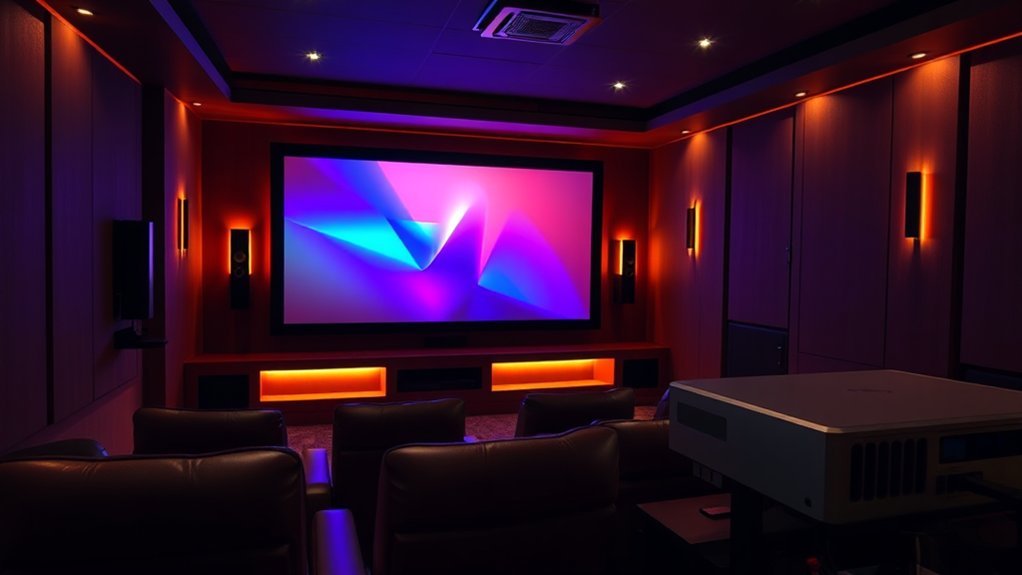
Regarding projectors, resolution plays a critical role in delivering that lively clarity. Certainly, a 1080p projector might do the trick for casual movie nights, but as your screen size grows—think 60 inches and above—you’ll notice a dip in sharpness. Enter native 4K projectors. These beauties provide stunning detail without pixel-shifting gimmicks, ensuring that every frame pops. Moreover, throw ratio influences how well the projector can fit within your space, making the right choice crucial for optimizing your viewing experience.
Additionally, color reproduction matters greatly; consider projectors with balanced color accuracy like the Hisense PX3-PRO. They’ll give life to your movies, making even the dullest scenes feel cinematic. Additionally, judges assessed performance and picture settings to achieve optimal viewing experiences, further enhancing your home theater enjoyment.
In the end, higher resolution and precise colors bring your home theater vision to life—who wouldn’t want that?
Throw Ratio and Projection Distance
Understanding throw ratio and projection distance can make a world of difference in your home theater setup, especially if space is tight.
Fundamentally, throw ratio is the relationship between the distance from your projector lens to the screen and the width of the image being displayed. For instance, a projector with a throw ratio of 2.0 needs to be ten feet away to create a five-foot-wide image. Short throw projectors, with ratios as low as 0.4, can project large images from just a few feet away, which is perfect for small rooms. This setup minimizes shadows and amplifies brightness, assuring a better viewing experience. Knowing the throw distance is essential for optimal projector placement to achieve your desired image size. Additionally, understanding the projector throw ratio helps you select the best screen size for your space.
Connectivity and Smart Features
Concerning setting up your home theater, having the right connectivity options and smart features can really improve your viewing experience.
Multiple HDMI ports, for instance, let you effortlessly connect game consoles, laptops, or streaming devices—think of it as having a multi-tool for your tech setup. Meanwhile, built-in Wi-Fi supports streaming from services like Hulu or Disney+, making it simple to enjoy your favorite shows without additional hardware.
Bluetooth 5.0 guarantees that you can wirelessly connect to speakers or headphones, allowing for a clutter-free space—who doesn’t love a little less cable chaos? Additionally, many projectors offer advanced lenses that enhance image quality, ensuring that your movie nights are visually stunning. Choosing a projector that supports HDMI ARC can further simplify your setup by allowing audio return through a single cable.
Plus, some projectors come with impressive smart systems, providing app compatibility that lets you browse content with just a few clicks—a movie night has never been easier!
Gaming Performance Considerations
When gaming, you naturally want every split-second decision to translate into immediate action on screen, which is why understanding gaming performance considerations is crucial. Input lag, that bothersome delay between your controller and what you see, can ruin your gaming experience.
Look for projectors like the Optoma UHD35STx, which can drop lag to virtually nothing at 4K/60Hz—perfect for competitive play. Then there’s image quality; projectors with accurate colors, like the BenQ X500i, boost immersive gameplay.
Don’t forget about throw distance; with ultra short throw projectors, you can set up in tight spaces without blocking the beam. Finally, choose one that supports 4K and higher refresh rates to keep that adrenaline pumping. What’s better than smooth visuals during an epic boss battle?
Budget and Value
Even though you might be tempted to go for the cheapest option when choosing a short throw projector, it’s essential to take into account not just the initial price but also what you’ll get regarding features and performance.
Budget models like the Formovie Cinema Edge may look appealing at $1,799, yet they often compromise on image quality and advanced features like HDR support.
If you’re serious about your home theater experience, investing a bit more can yield dramatically better picture fidelity and connectivity options.
Plus, higher-tier projectors typically use laser or LED light sources, offering long-term savings on maintenance and energy bills.
Think of it this way: are you really saving if you end up spending more replacing bulbs?
Installation and Room Considerations
Choosing the right installation setup for your short throw projector can feel like a puzzle, but each piece—like room layout, mounting height, and ambient light—plays an essential role in achieving that cinematic experience you crave.
Start with mounting location; you’ll want solid surfaces like wall studs or joists to support your projector’s weight, ensuring stability and image alignment.
Next, calculate the installation distance using the formula: Screen Width × Throw Ratio. Remember, moving the projector changes the image size, so precision matters.
Keep in mind ceiling height and furniture placement to avoid shadows.
Finally, consider ambient light; window placement and shades can make or break your picture quality. Who knew a little room planning could lead to Hollywood magic?
Frequently Asked Questions
How Do Ambient Light Conditions Affect Projector Performance?
Ambient light conditions greatly affect your projector’s performance. In well-lit rooms, higher brightness is crucial to maintain image clarity, as excessive light can wash out colors and reduce contrast, impacting your overall viewing experience.
What Are the Benefits of Using a Projection Screen Instead of a Wall?
Using a projection screen instead of a wall improves image quality with brighter colors and sharper details. It guarantees uniformity, reduces distortions, and provides a professional appearance, making your viewing experience more immersive and enjoyable.
How Long Do Projector Lamps Typically Last, and How Do I Replace Them?
Projector lamps typically last 2,000 to 50,000 hours, depending on the type. When they dim or flicker, it’s time to replace them. Always turn off and unplug your projector before starting the replacement process.
Are There Specific Recommendations for Mounting Projectors in Small Spaces?
For mounting projectors in small spaces, consider wall or ceiling mounts for efficient use of space. Utilize ultra short throw projectors and adjustable mounts for flexibility, ensuring accurate placement without sacrificing your room’s functionality or aesthetics.
What Sources Provide the Best Images for Short Throw Projectors?
For the best images, you’ll want to choose projectors with native 4K resolution and high-quality laser light sources. Look for advanced contrast ratios and wide color gamuts to improve your viewing experience greatly.